Exterior: Perfect Atmosphere for Property Photos
Transform property exterior photos with sky replacement, seasonal changes, and atmosphere presets - from grey overcast to golden hour in seconds.
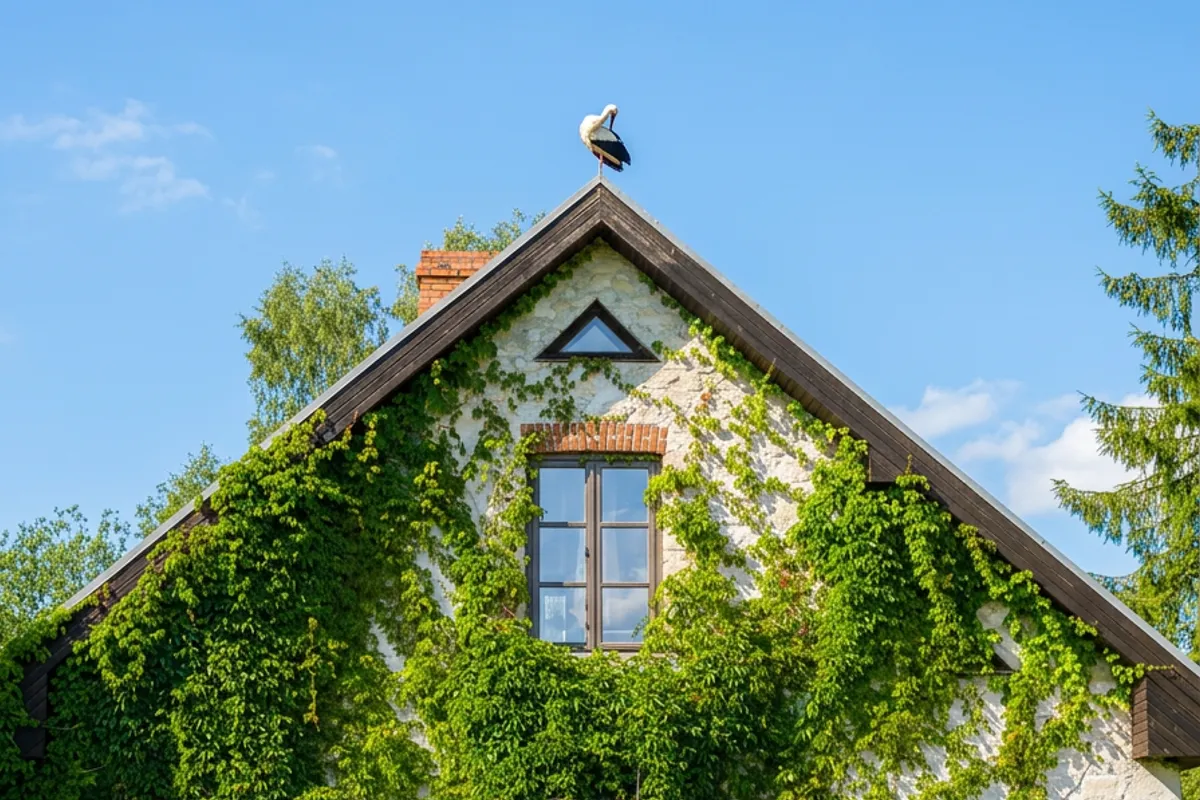
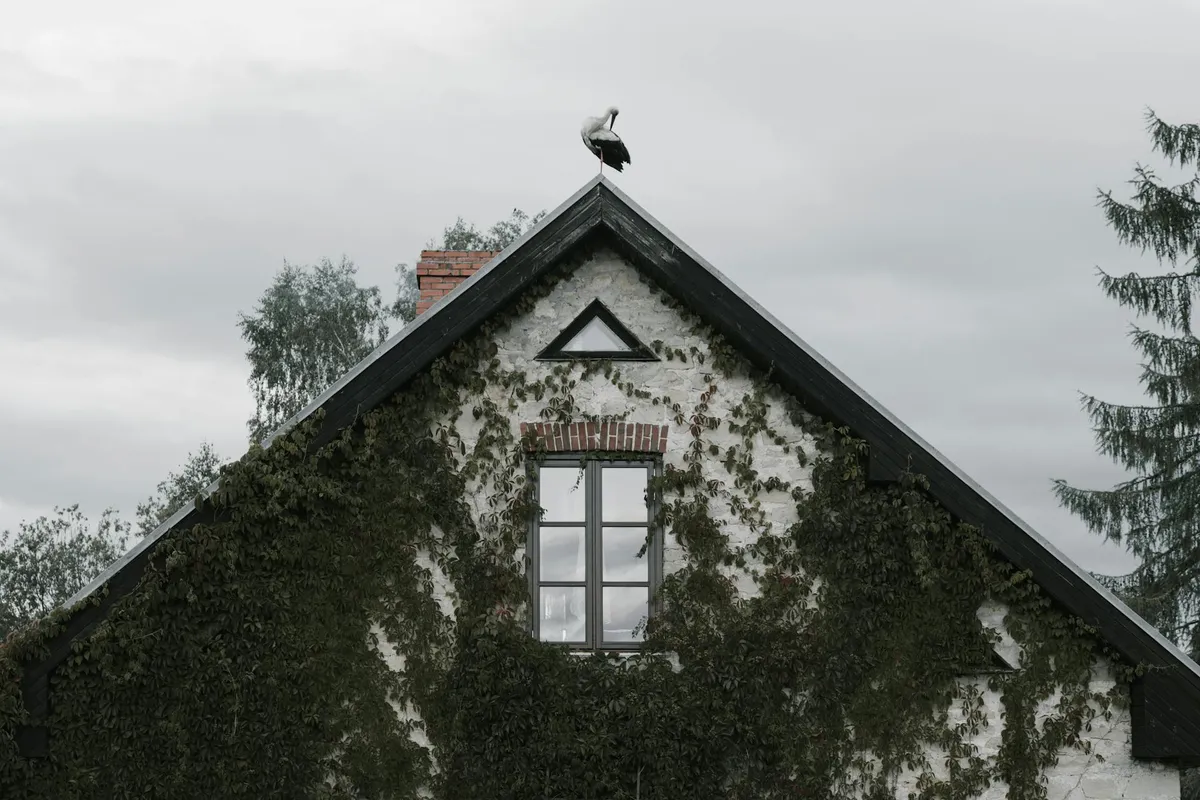
Exterior: Perfect Atmosphere for Property Photos
Grey Skies, Dull Photos - How to Fix Them Without Re-Shooting
Overcast weather is the norm in many regions. If you photograph property exteriors, the chances of a perfect blue sky are limited. And a flat, grey sky over a building makes even a beautiful property look dull and uninviting.
The Exterior feature transforms exterior photos in seconds. It replaces the sky, adjusts lighting and shadows on the building to match, and lets you change the season or time of day. Turn a cloudy November shot into a sunny summer day, add a dramatic sunset, or create an elegant dusk scene - all without re-shooting.
How the Exterior Workflow Works
- Upload your image - Select an exterior property photo. Works on houses, apartment buildings, offices, and commercial properties.
- Choose atmosphere and season - 6 atmosphere presets and 4 seasonal options, or a custom description.
- Customize (optional) - Enter a specific description like "ocean sunset" or "spring morning with blossoms."
- Generate - The sky is replaced and the entire atmosphere is adjusted to match.
The result looks natural - no visible seams between the building and the new sky.
Atmosphere Presets
The Exterior feature uses two separate selectors - atmosphere and season - giving you full control over the look:
6 Atmosphere options
- Clear Sky - Blue sky with bright daylight. The most popular choice - ideal for listings where you want to show the building at its best.
- Golden Hour - Warm, golden sunset tones with soft light hitting the facade. Golden hour photos get the most clicks on listing portals.
- Dramatic Clouds - Bold, moody skies with expressive cloud formations. Creates a "wow" effect in architectural photography and luxury listings.
- Overcast - Soft, even light with cloud cover. Works well for properties where you want a clean, neutral look without harsh shadows.
- Twilight - Elegant dusk scene with fading light. Gives photos a premium, exclusive feel.
- Blue Hour - Deep blue tones just after sunset. Creates a calm, sophisticated atmosphere - especially striking with lit interiors.
4 Seasonal options
- Spring - Fresh greenery and bright light. Creates a sense of renewal.
- Summer - Full, lush vegetation and warm tones.
- Autumn - Rich amber foliage and warm lighting. Great for homes with gardens.
- Winter - Bare trees and crisp light. Works well for architectural shots.
You can also enter a custom description to match any specific vision.
Why Curb Appeal Matters
The exterior photo is often the buyer's first contact with a property. Research shows:
- First impressions - Buyers decide within 3-5 seconds whether to click a listing. A photo with grey sky loses to a bright, sunny shot every time.
- Higher perceived value - Properties shown with good lighting and blue skies are perceived as more valuable.
- Portfolio consistency - An agent who presents all listings with uniform, professional skies builds a stronger brand.
When to Use the Exterior Feature
- Weather rescue - Save photos from cloudy, rainy, or foggy days. No need to wait for better weather.
- Seasonal marketing - Show the same property across different seasons. Ideal for marketing materials.
- Luxury listings - Golden hour and dramatic clouds add exclusive character.
- Consistent portfolio - Match sky styles across all listings. One preset, one brand - a professional look.
- Archive photos - Have an old property photo with grey sky? Transform it in seconds.
Tips for Better Results
- Shoot in neutral light - Overcast days are paradoxically good starting conditions, since the tool has an easier time replacing the sky when there are no competing shadows.
- Don't crop the roof - Make sure the entire building including roof and a portion of sky is visible.
- Combine with other tools - After improving the atmosphere, use Sharpen to enhance facade detail. If the photo is dark, try Relight first.
- Test different presets - The same building can look completely different in Clear Sky vs. Golden Hour. Worth comparing.
Try the Exterior Feature
Upload a building photo with grey sky and see the atmosphere transform in seconds. Sign up for free to get started.
See also: Enhance interior lighting
Related Workflow
Exterior
More from the blog
The Numbers Don't Lie: How Photos Sell Properties Faster
Hard data on how professional real estate photography and virtual staging impact sale prices, time on market, and buyer engagement. NAR 2025 statistics included.
Sharpen: Restore Detail and Clarity
Sharpen blurry real estate photos - restore detail, fix soft edges, and remove noise. Perfect for phone photos, cropped shots, and downloaded images.
Relight: Better Lighting in Seconds
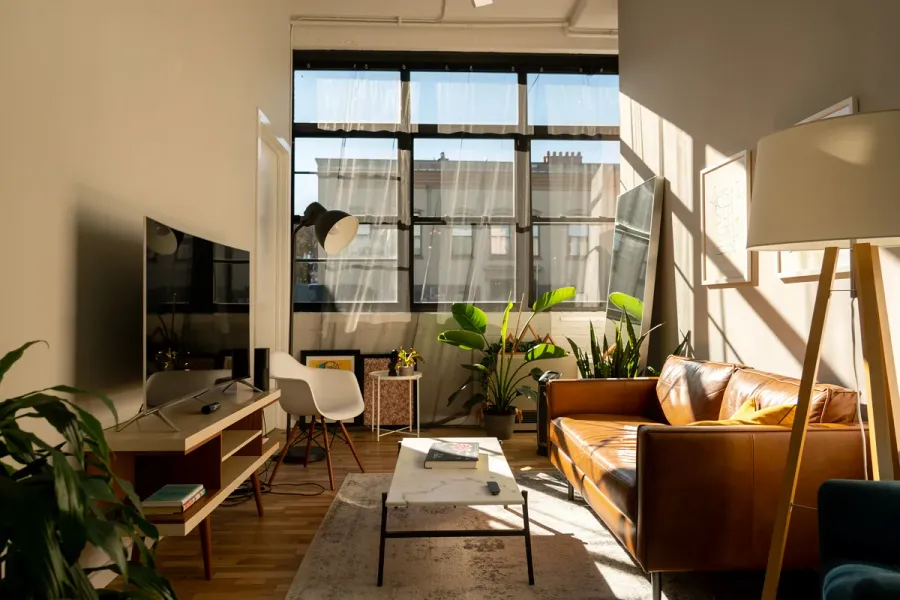
Learn how to use the relighting tool to enhance photos with perfect lighting - from brightening dark rooms to creating cozy evening ambiance.