Declutter: Clean Room Photos Instantly
Learn how to use the declutter tool to remove mess, personal items, and clutter from real estate photos while keeping furniture intact.
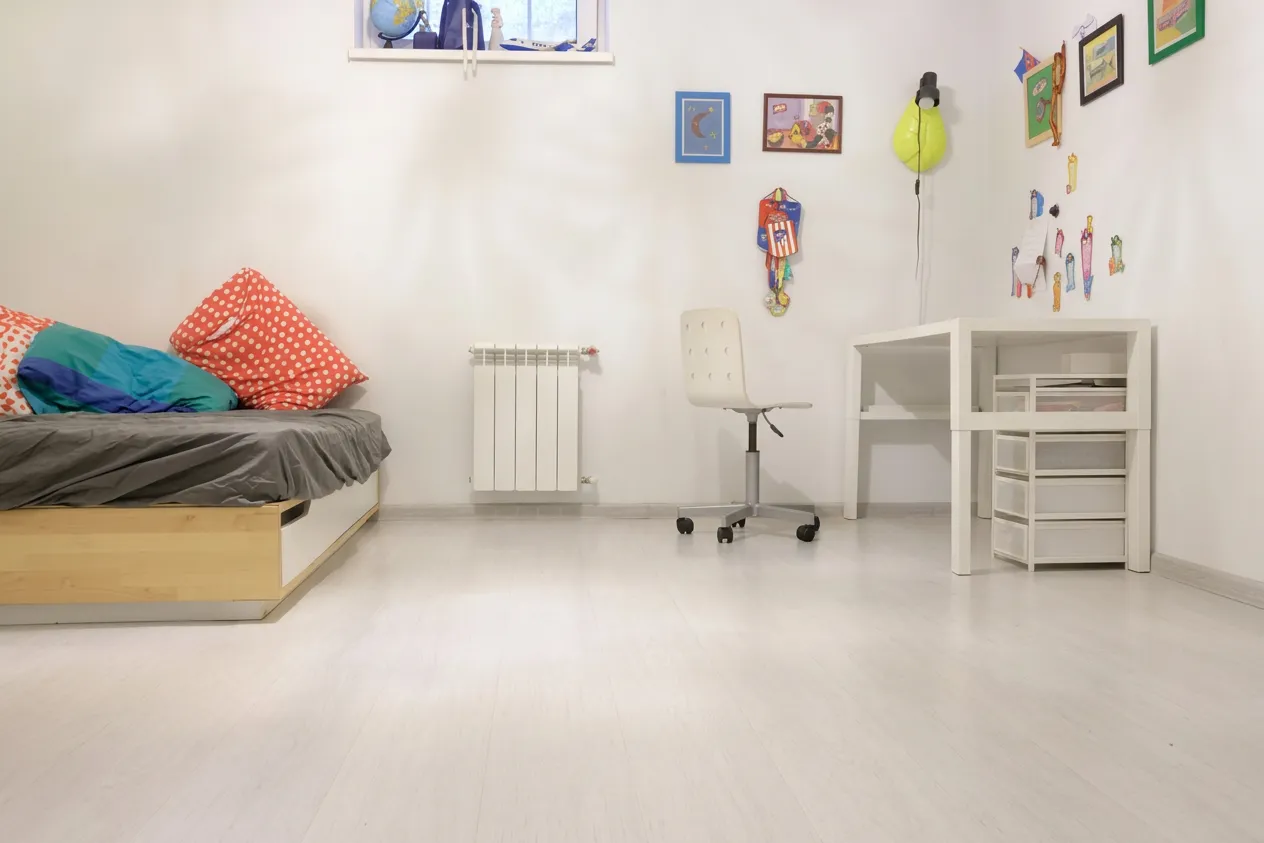
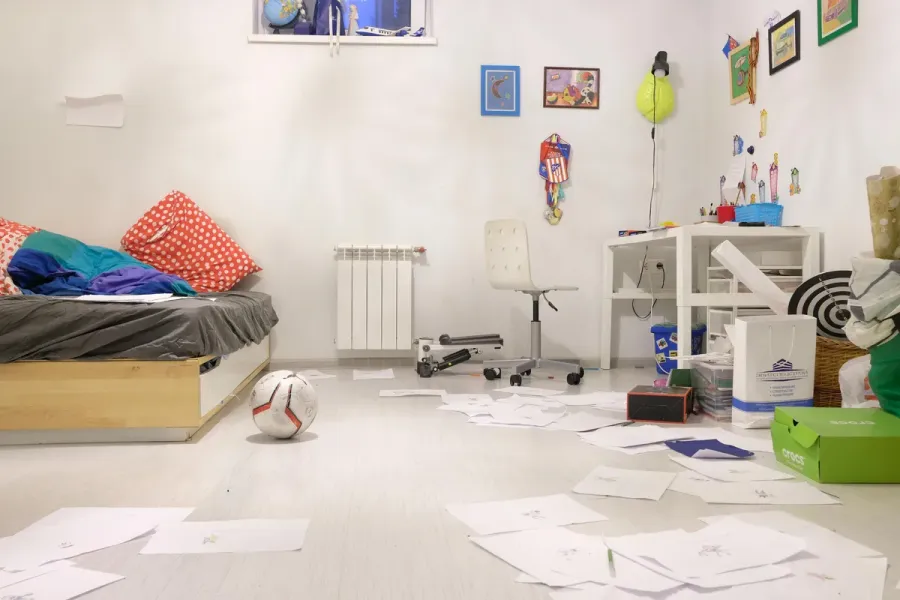
Declutter: Clean Room Photos Instantly
Clutter in Photos - The Biggest Enemy of Real Estate Listings
Photographing an occupied home for sale or rent? Cups on countertops, cables on the floor, a laundry basket in the corner. Physical cleaning before a shoot is time-consuming, and clients don't always want to wait.
The Declutter feature solves this - it analyzes the photo and automatically removes mess, clutter, and personal items while preserving all furniture and decor. The result is a clean, professional photo ready for your listing - without hours of tidying.
What Gets Removed vs. What Stays
The key difference between Declutter and other tools is that it understands what's clutter and what's furnishing.
Removes:
- Personal items - family photos, toiletries, clothing
- Cables, cords, and chargers
- Trash, boxes, and bags
- Small objects on countertops and tables
- Toys, shoes, newspapers, and other minor clutter
Keeps:
- All furniture - sofas, tables, beds, cabinets
- Wall decor and artwork
- Architectural features - moldings, windows, doors
- Lighting and natural room atmosphere
This makes Declutter ideal for processing photos of occupied properties - no need to remove furniture for clean shots.
How to Use Declutter
The process is simple and supports batch processing:
- Select images - Upload up to 10 photos at once to clean an entire apartment in one go.
- Toggle staging accents (optional) - After removing clutter, subtle decorative touches can be added to boost the room's appeal.
- Generate - Each photo is processed in seconds.
With 10 photos, you can clean an entire apartment in under a minute.
Staging Accents - The Extra Polish
After removing clutter, enable "Add staging accents" for subtle decorative elements that make rooms look catalog-ready:
- Living areas - Small potted plants, decorative bowls, arranged books
- Kitchen - Fruit bowl, potted herbs, a tea towel
- Bedroom - Throw pillows, a plant on the nightstand
- Bathroom - Rolled towels, scented candles
These are subtle touches that don't overwhelm the space - but make a huge difference in how the photo is perceived.
When to Use Declutter
- Listing prep - The most common scenario: the home is occupied but you need listing photos. Instead of asking owners to deep-clean, just shoot and run the photos through Declutter.
- Privacy protection - Family photos, documents on desks, clothes on hangers - all reveal the occupants' identity. Declutter removes them automatically.
- Batch processing - A typical apartment shoot is 10-20 photos. Batch processing lets you clean them all at once - saving time.
- Better input for other tools - A decluttered photo is a better starting point for Relight - the tool works better on clean photos without distracting objects.
Tips for Best Results
- Good lighting - Bright photos give significantly better results. If needed, use Relight to improve lighting before cleaning.
- High resolution - More detail means better distinction between clutter and furnishings.
- Corner angle - Wide shots capture the full picture of the room.
- Don't mix with Staging - Declutter preserves furniture. If you want to replace it, use Staging as a separate step.
Try Declutter
Upload a photo of an occupied room and see clutter disappear - without losing furniture or decor. Sign up for free to get started.
Related Workflow
Declutter
More from the blog
The Numbers Don't Lie: How Photos Sell Properties Faster
Hard data on how professional real estate photography and virtual staging impact sale prices, time on market, and buyer engagement. NAR 2025 statistics included.

Exterior: Perfect Atmosphere for Property Photos
Transform property exterior photos with sky replacement, seasonal changes, and atmosphere presets - from grey overcast to golden hour in seconds.
Sharpen: Restore Detail and Clarity
Sharpen blurry real estate photos - restore detail, fix soft edges, and remove noise. Perfect for phone photos, cropped shots, and downloaded images.